
How to Plan Study or Work Sessions With Long YouTube Playlists
Long YouTube playlists are easy to underestimate. A playlist that looks harmless because it “only” has 30 or 40 videos can still become a serious multi-day workload once you translate it into real watch time, breaks, note-taking, and context switching.
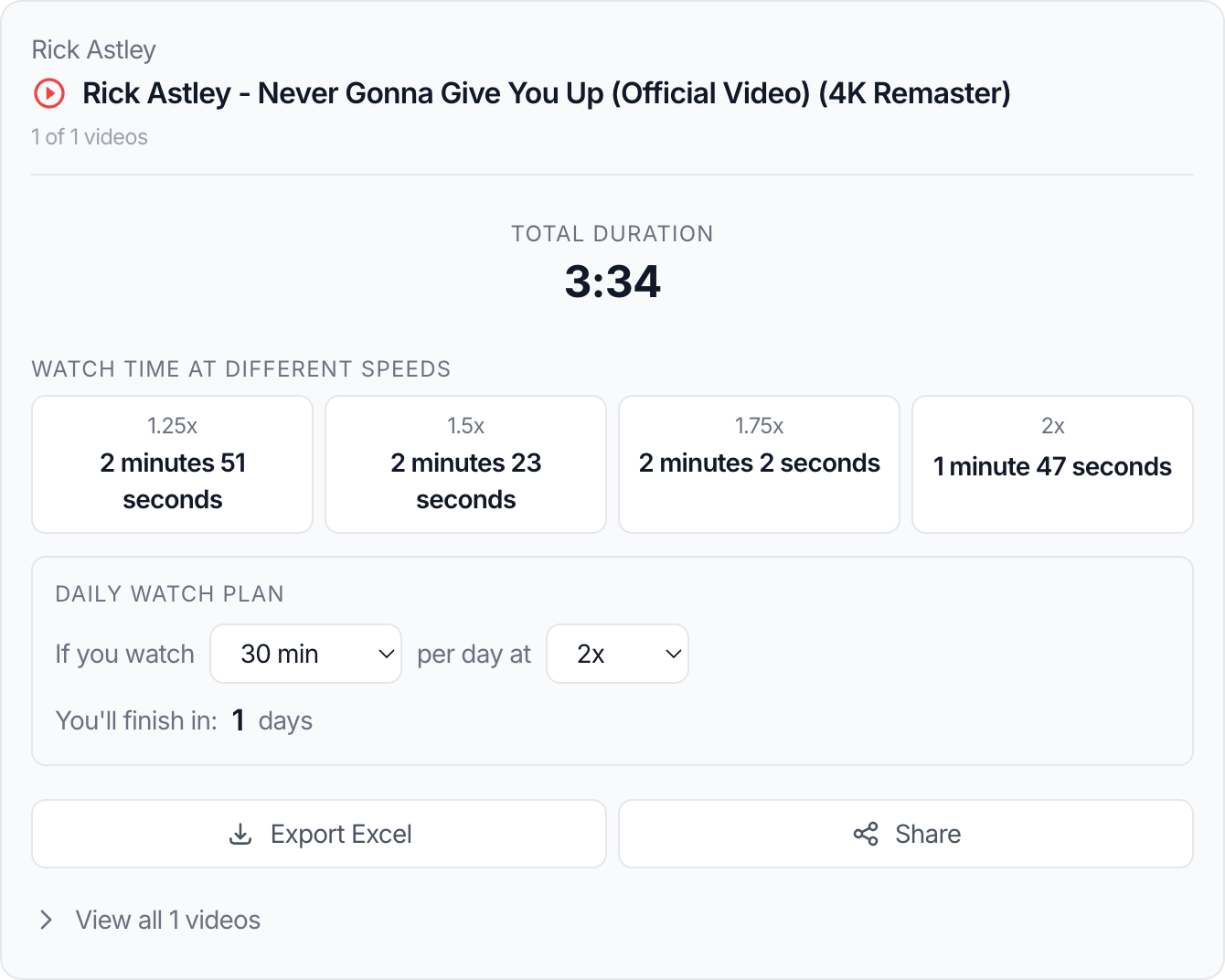
That is why planning matters. The useful outcome is not just “this playlist is 11 hours long.” The useful outcome is a plan that tells you how many sessions it will take, how long each session should be, and whether you should watch the whole thing at all. A YouTube Playlist Length Calculator helps because it gives you the total, the speed-adjusted watch time, and a baseline you can schedule from.
Why this matters for real users
People usually need long-playlist planning in situations like:
- studying from a free YouTube course
- reviewing onboarding or internal training videos
- preparing for exams
- researching a topic from multiple lecture playlists
- assigning video homework to students
- reviewing competitor or industry content as a creator or marketer
In all of those cases, total time is only the start. The real challenge is turning that total into something you can actually do.
Step-by-step: turn one long playlist into a workable plan
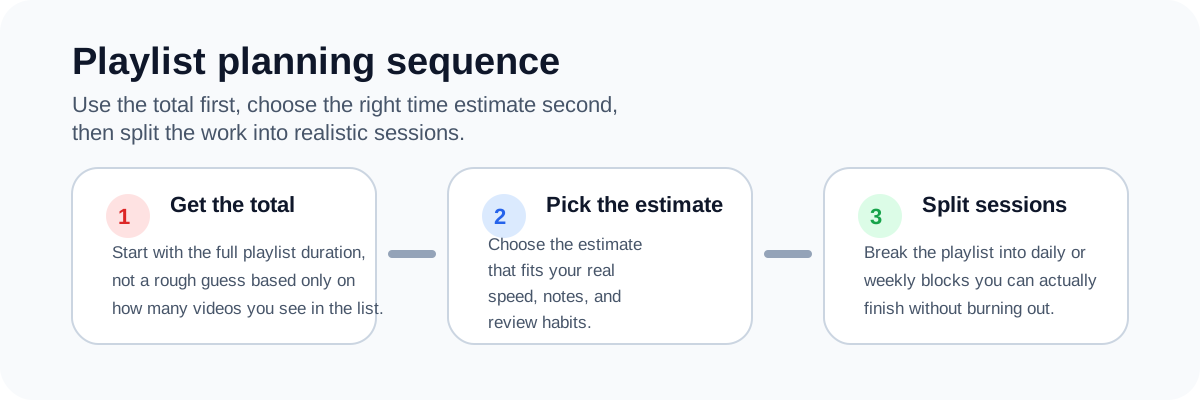
1. Get the total duration first
Do not start planning from video count. Start from time. Use the calculator first, then plan from the actual total instead of a rough guess.
2. Choose the playback speed you really use
If you normally watch at 1.25x for lectures and 1.5x for reviews, use that. The plan should reflect behavior, not optimistic theory.
3. Decide the session length before the finish date
Many people do this backwards. They pick a deadline first and then force the session length to fit. A better method is:
- choose a sustainable daily or weekly session length
- then see how long the playlist will take
This prevents unrealistic schedules that collapse after two days.
4. Use range-based planning for very long playlists
Sometimes the right plan is not to finish everything. If the playlist is too long, identify the exact section that matters for your goal and calculate that range only. That kind of range-based check is much more useful than forcing the full playlist into a bad schedule.
5. Add non-watch overhead
For study or work sessions, account for:
- note-taking
- rewinds
- short breaks
- switching between tools or documents
That overhead can easily add 10–25% to the pure playback estimate.
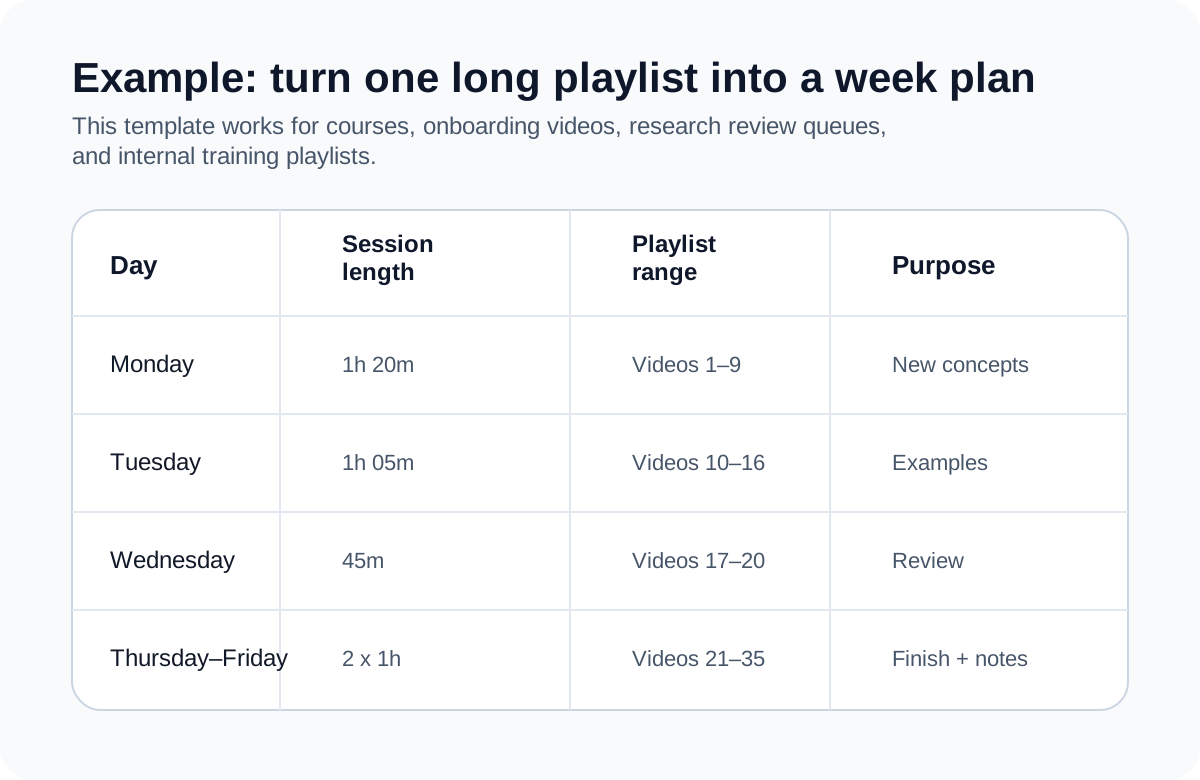
A real example
Suppose you have an 18-hour playlist for a certification exam and only six days left before your review deadline.
A weak planning approach says:
“That sounds like about three hours per day.”
A good planning approach says:
- At 1.25x, the watch time drops to 14 hours and 24 minutes.
- If you can realistically study for 2 hours a day, that is still too much.
- If you only need modules 4 through 11, a range calculation may reduce the workload enough to finish well.
That changes the strategy from blind commitment to deliberate scope control.
How to choose a session length
For dense learning
Keep sessions shorter. A 45- to 75-minute session often works better than a 2-hour block if the material is technical or note-heavy.
For review content
Longer blocks can be reasonable because you are not processing everything for the first time.
For work review or research
Split the playlist into decision-oriented chunks: one session per theme, module, or case study. That makes notes and follow-up work much easier to manage.
Common mistakes
Planning from motivation instead of capacity
People build the schedule they wish they could follow, not the one they can actually maintain.
Ignoring note-taking time
A playlist that “only” takes 8 hours to watch may still require 10 hours of real study time if you stop to capture notes.
Treating every video as equally important
In many long playlists, a few sections matter much more than the rest. Range-based planning is often better than total-playlist planning.
Skipping a progress checkpoint
If the playlist spans several days, you should check progress after the first session and adjust speed, scope, or daily target.
Best practices
- Start with total duration, then convert it into your real watch speed.
- Choose sustainable session length before you decide the finish date.
- Add a buffer for notes, rewinds, and short breaks.
- Use range calculations if the full playlist is not realistic.
- Review the plan after the first day and correct early.
Related tools
- Use the YouTube Playlist Length Calculator to get total time, speed-adjusted watch time, and a quick planning baseline.
- If you need to understand how playback speed changes your schedule, read How Playback Speed Changes Total Watch Time.
- If you are still deciding whether the playlist is worth the time, read How to Calculate YouTube Playlist Watch Time Before You Start.
FAQ
How long should one study session be for a long YouTube playlist?
It depends on the difficulty, but many learners do better with 45–75 minute focused sessions than with very long blocks.
Should I plan with raw duration or speed-adjusted duration?
Use speed-adjusted duration if that reflects how you actually watch, then add a small buffer for note-taking and breaks.
What if I cannot finish the full playlist before my deadline?
Use a range-based plan. Focus on the modules or videos that matter most to your goal.
Is this useful for work playlists too?
Yes. The same planning logic helps with onboarding, internal training, research review, and content audits.
How often should I recalculate the plan?
At least once after your first session. That tells you whether your chosen speed and session length are realistic.
Conclusion
Planning long YouTube playlists is really about translating raw time into a schedule you can actually sustain. When you combine total duration, playback speed, realistic session length, and scope control, long playlists stop feeling vague and start feeling manageable.
That is the difference between “I should watch this sometime” and “I know exactly how I will finish it.”
Continue with
These guides help you sharpen the two inputs that matter most: the right speed and the right expectation before you begin.
How Playback Speed Changes Total Watch Time
Use 1.25x, 1.5x, 1.75x, and 2x playback speed estimates to plan study sessions, reviews, and deadline-driven playlists more realistically.
How to Calculate YouTube Playlist Watch Time Before You Start
Learn how to estimate the real time commitment of a YouTube playlist before you click play, including speed-based watch time and partial playlist planning.