
Why a YouTube Playlist Duration Result May Look Wrong
When a playlist duration result looks wrong, the first instinct is usually to blame the calculator. Sometimes that is justified. More often, though, the mismatch comes from the playlist itself or from the data YouTube currently exposes.
This distinction matters because the fix depends on the cause. If the issue is upstream, refreshing the same request over and over does not solve anything. If the issue is in your expectation, the right move is to interpret the result differently.
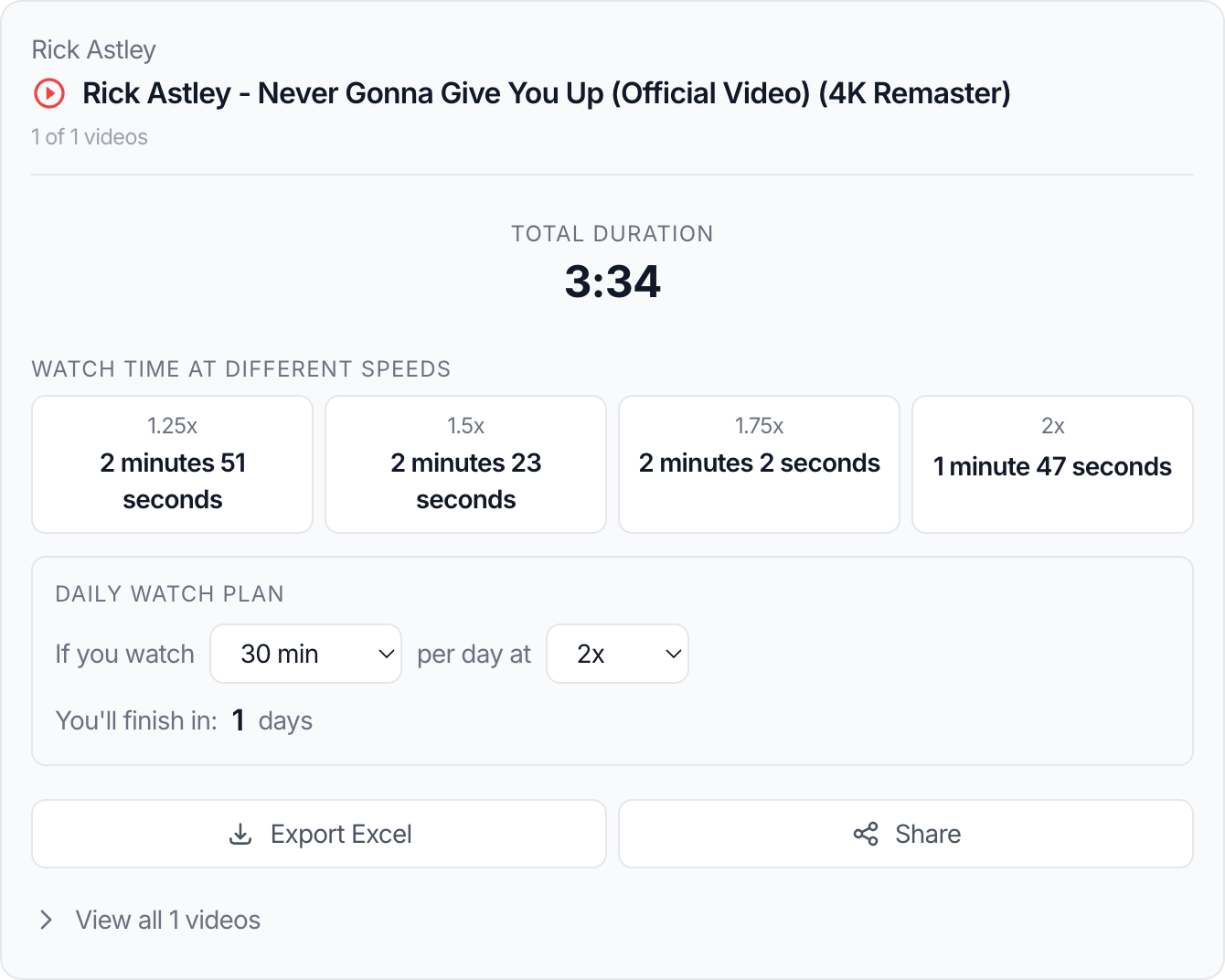
Why mismatches happen
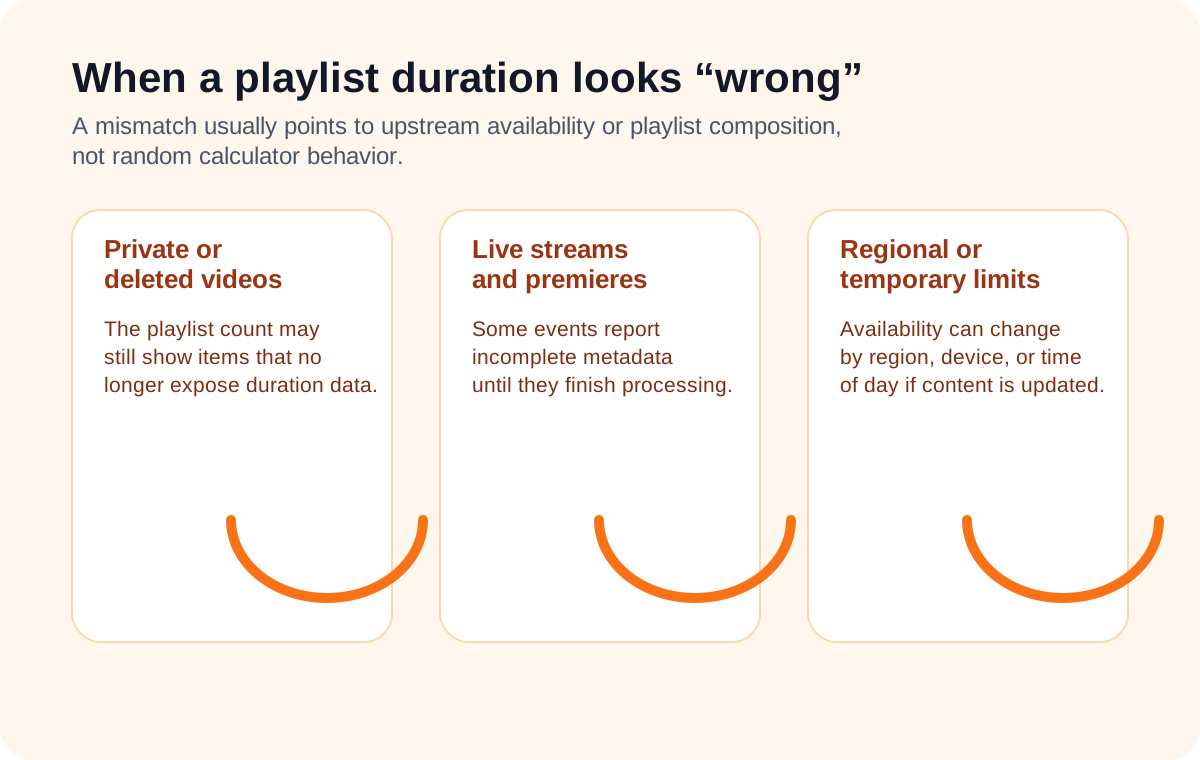
A playlist duration can look different from what you expect for several reasons:
- the playlist contains private or deleted videos
- one or more items are region-restricted
- a live stream or premiere has incomplete metadata
- the creator changed the playlist after you first saw it
- you are comparing raw duration with a speed-adjusted expectation
The important point is that “different from expected” does not automatically mean “incorrect.”
Step-by-step: how to debug a suspicious result
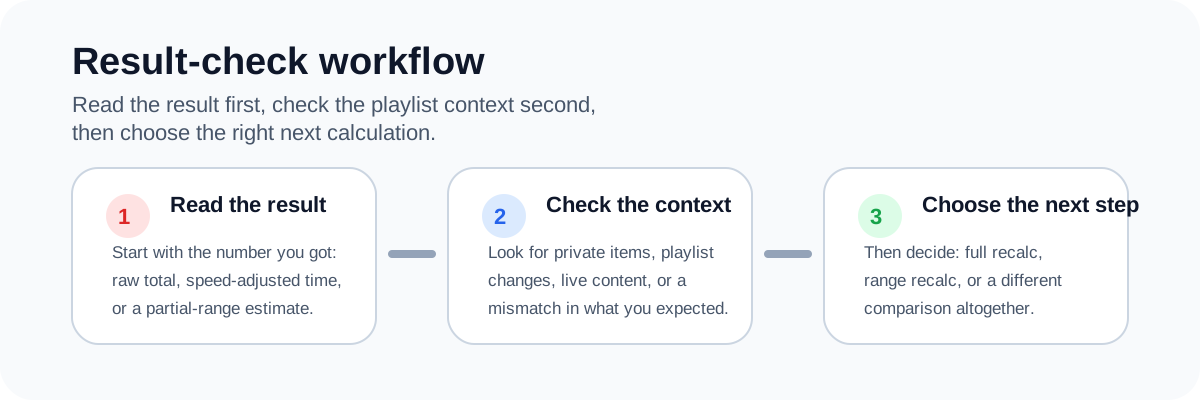
1. Check what number you expected
Were you expecting:
- raw total duration
- remaining duration
- speed-adjusted duration
- duration of only part of the playlist
Many apparent errors are actually mismatches between the number a user wants and the number they are comparing it against.
2. Check whether the playlist has unavailable items
Some playlists still show a certain number of entries even when one or more videos no longer expose normal public metadata. That can create the impression that the total should be larger than the result you see.
3. Check whether the playlist changed
Playlists are editable. A creator can add videos, remove videos, reorder sections, or replace unavailable items. If you are comparing against a screenshot or a number from earlier, the playlist may not be the same anymore.
4. Watch for live or event content
Live streams and premieres can report incomplete or changing duration information while the content is still transitioning between states.
5. Recalculate the exact range you need
If you only care about the remaining videos or a specific module inside the playlist, use a range-based calculation in the YouTube Playlist Length Calculator instead of comparing the full playlist total against your mental estimate.
A real example
Imagine a playlist displays 60 videos on YouTube, but your duration result feels too low. You assume the tool skipped something. In practice, the missing time may come from two private videos and one unavailable stream replay that still count toward the playlist structure but do not expose the same data as normal public videos.
In that scenario, the calculator is not “forgetting” items. It is calculating what can actually be resolved from the playlist at that moment.
That is exactly why a good duration tool should explain limitations instead of acting like every playlist is perfectly stable. The playlist calculator is most useful when you treat it as a current snapshot of resolvable data, not a permanent archive.
The difference between wrong and incomplete
This is an important quality signal for a site like yours:
- Wrong means the tool misread valid data or calculated incorrectly.
- Incomplete means some data could not be resolved because the playlist itself has inaccessible or unstable items.
Users often collapse those into the same complaint. The guide should separate them clearly.
Common mistakes
Comparing the result to YouTube video count
Video count is not enough to infer duration. A playlist with 20 short clips can be much shorter than one with 8 long lectures.
Forgetting playback speed
A user may remember “about 6 hours” because they watched at 1.5x previously, then compare that memory against a raw 1x duration.
Assuming playlists stay unchanged
Creators update playlists all the time. A saved expectation from last month may no longer be valid.
Ignoring unavailable items
A playlist can include videos that exist structurally but do not expose clean public duration data anymore.
Best practices
- Compare raw duration with raw duration, and speed-adjusted duration with speed-adjusted duration.
- Recalculate if the playlist is actively maintained by the creator.
- Expect more instability when the playlist contains live content or older unavailable videos.
- Use range calculations when you only need part of the playlist.
- Document edge cases clearly so users understand upstream limits.
Related tools
- Use the YouTube Playlist Length Calculator to compare raw duration and speed-adjusted watch time.
- If your real question is whether the playlist is worth starting, read How to Calculate YouTube Playlist Watch Time Before You Start.
- If your next step is time blocking, read How to Plan Study or Work Sessions With Long YouTube Playlists.
FAQ
Why does the playlist count look bigger than the duration result suggests?
Because one or more playlist items may be unavailable, private, deleted, or otherwise not fully represented in the resolvable metadata.
Can live streams affect playlist duration accuracy?
Yes. Live streams and premieres can expose changing or incomplete duration information at different stages.
Does playback speed cause confusion when people compare results?
Very often. Users sometimes compare a 1x total with a remembered 1.5x or 2x viewing experience.
Should I trust the result if the playlist keeps changing?
Treat it as a snapshot. It is useful for current planning, but it may change if the creator updates the playlist.
What is the best first troubleshooting step?
Check whether your expectation is based on the full playlist, a partial range, or a speed-adjusted number. That resolves many complaints immediately.
Conclusion
When a YouTube playlist duration result looks wrong, the safest response is to separate calculation problems from playlist-data problems. Many mismatches come from unavailable items, changing playlists, or comparing the wrong type of time estimate.
A good guide does not just defend the tool. It helps the user understand how playlist data behaves in the real world.
Recommended next reads
These guides help you compare the right numbers and plan from them more accurately.
How to Calculate YouTube Playlist Watch Time Before You Start
Learn how to estimate the real time commitment of a YouTube playlist before you click play, including speed-based watch time and partial playlist planning.
How Playback Speed Changes Total Watch Time
Use 1.25x, 1.5x, 1.75x, and 2x playback speed estimates to plan study sessions, reviews, and deadline-driven playlists more realistically.