
How to Calculate YouTube Playlist Watch Time Before You Start
If a YouTube playlist only shows the number of videos, you still cannot tell whether it is a 40-minute quick overview or a 17-hour commitment. That is the real problem users run into before they begin a course, assign homework, or plan a research session.
The fastest way to solve that problem is to calculate the total duration first, then translate it into actual watch time at your real playback speed. That second step matters because a 10-hour playlist feels very different at 1x than it does at 1.5x when you are reviewing familiar material.
Why this matters before you click play
People usually search for playlist watch time before starting for one of four reasons:
- They want to know whether a playlist fits the time they actually have.
- They need to estimate how many sessions it will take to finish.
- They want to compare two playlists before choosing one.
- They are trying to decide whether speeding up playback changes the schedule enough to make the playlist realistic.
That means the useful answer is not just “how many hours is it?” The useful answer is:
- How long is it in total?
- How long is it at my normal watch speed?
- Can I split it into smaller chunks?
- Is the full playlist still worth it, or should I focus on a range?
Step-by-step: how to estimate playlist watch time
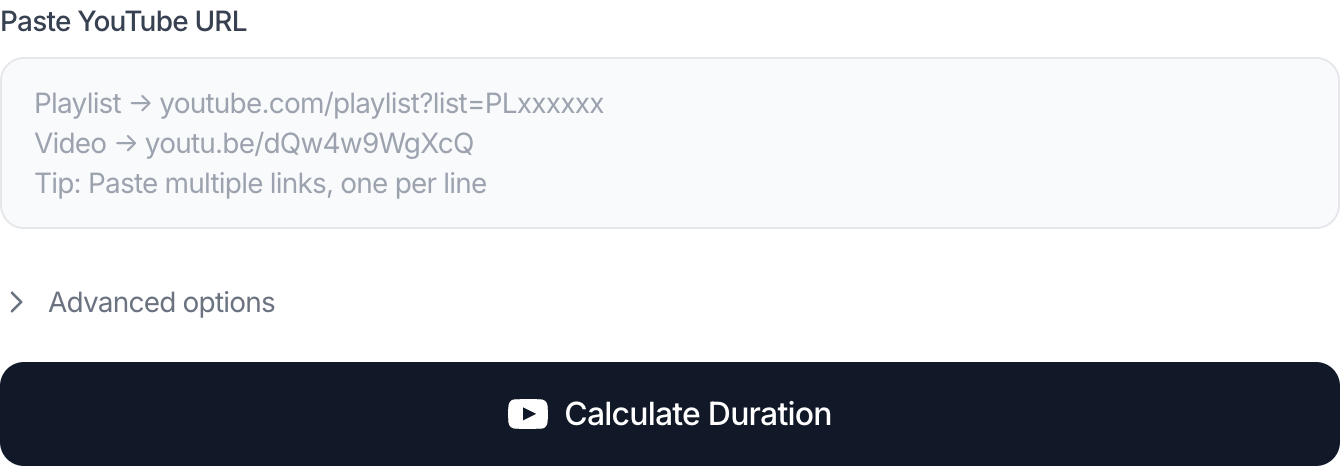
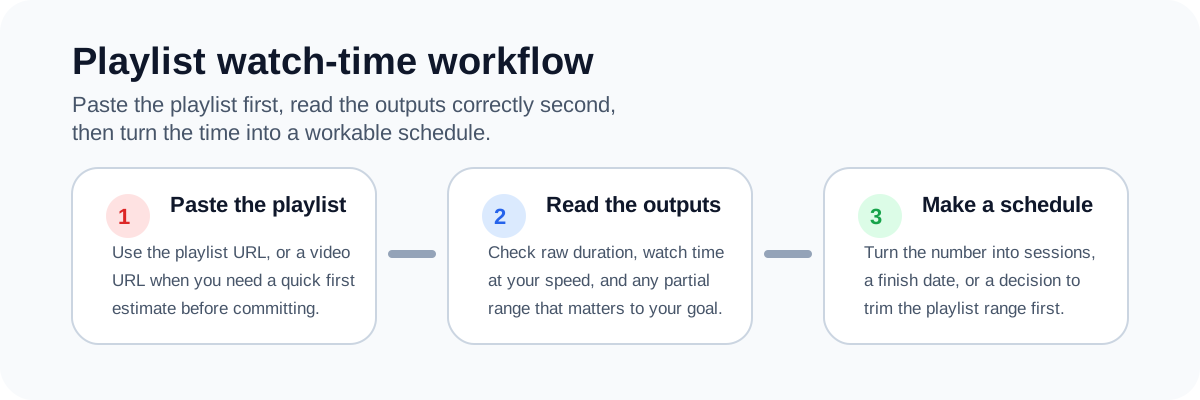
1. Paste the full playlist URL
Use the full playlist link if you have it. If you are planning from a single video that belongs to a series, you can still use that URL to get a quick sense of the content you are dealing with.
What matters here is consistency. If you compare multiple playlists, use the same method for each one so your decision is based on comparable numbers.
2. Read the total duration first
The total duration gives you the raw size of the playlist. This is the number you use to answer questions like:
- “Can I finish this course over a weekend?”
- “Is this playlist too big for an onboarding sequence?”
- “Would my students realistically finish this before Friday?”
3. Switch to realistic playback speed
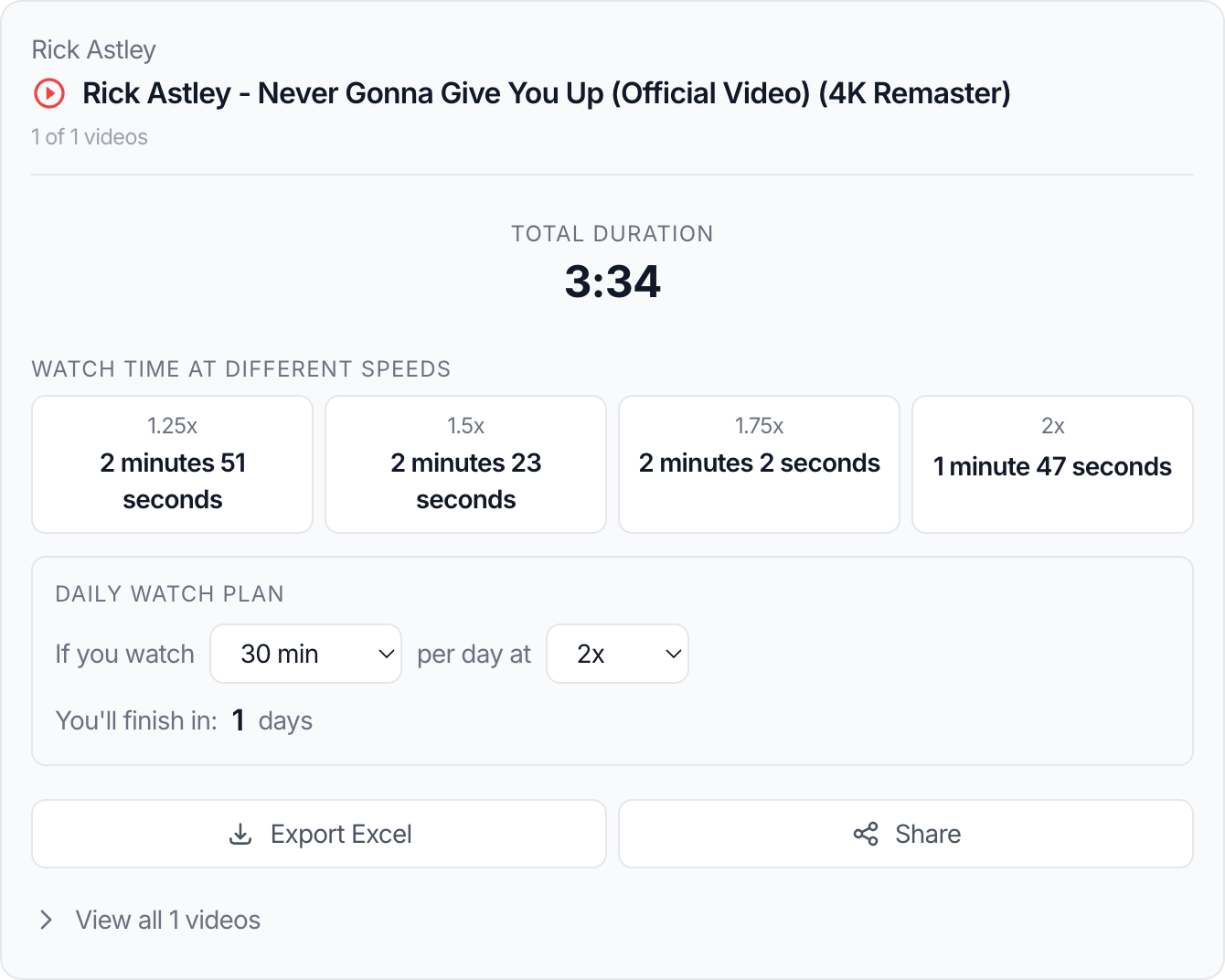
Many people never watch educational YouTube content at 1x. They watch at 1.25x, 1.5x, or even 2x for review material. A reliable calculator should show those adjusted estimates immediately so you do not have to do mental math every time.
4. Use a partial range if the playlist is too long
A long playlist does not always need to be consumed from beginning to end. If you only need modules 7 through 18, or videos 31 through 100, that range matters more than the whole number. Range-based planning in the playlist calculator is especially useful for:
- class assignments
- internal company training
- certification review
- research or note-taking passes
5. Turn the number into a schedule
Once you know the total watch time, convert it into something operational:
- daily watch target
- weekly plan
- finish date
- breakpoints for difficult sections
A real example
Imagine you find a YouTube course with 48 videos. The playlist looks manageable because the video count does not seem extreme. But the total duration turns out to be 16 hours and 20 minutes.
That changes the decision immediately:
- at 1x, this is a serious multi-day commitment
- at 1.25x, it drops to a little over 13 hours
- at 1.5x, it becomes closer to 11 hours
If you only have six study hours this week, the right question is no longer “Should I start?” It becomes:
- watch at a faster speed
- trim the range
- or postpone the playlist
This is why duration-first planning is useful. It helps you avoid starting a playlist with the wrong expectation, and it gives you a clean next step when you need to compare speed or trim the range.
Common mistakes that lead to bad planning
Treating video count as time
Fifty short videos can be faster than twelve long lectures. Counting videos is not time planning.
Assuming 2x speed is always the right answer
It is tempting to halve the total and move on. That is fine for recap material, but dense explanations, technical demos, and language-learning content often need slower playback.
Ignoring partial progress
If you already watched the first section, using the full playlist total overestimates the time remaining. A calculator with range support is more accurate for return visits.
Forgetting that playlist composition changes
Playlists are not static forever. Creators can add, remove, privatize, or reorder videos. If a number looks different from what you saw last week, the playlist itself may have changed.
Best practices
- Use total duration for a first-pass decision.
- Use 1.25x or 1.5x only if that matches your real viewing habit.
- Break long playlists into date ranges or topic ranges before committing.
- Recheck the total if the playlist is actively maintained by the creator.
- For learning content, schedule note-taking time on top of watch time.
Related tools
- Use the YouTube Playlist Length Calculator to get the total duration, speed-adjusted watch time, and planning outputs.
- You can also compare results with this external YouTube playlist length calculator when you want another playlist-time reference.
- If you also need a watch plan, read How Playback Speed Changes Total Watch Time.
- If the result looks inconsistent, read Why a YouTube Playlist Duration Result May Look Wrong.
FAQ
Is it better to calculate playlist time before or after I start?
Before. You make better decisions when you know the total size and the real watch-time commitment before you invest attention.
Can I use a single video URL instead of the full playlist?
Yes, for quick checks or when the playlist is hard to copy. But a full playlist URL is better when the goal is to estimate the entire series accurately.
Should I plan using total duration or speed-adjusted duration?
Use both. Total duration helps you judge size. Speed-adjusted duration helps you judge real effort.
What if I only need part of the playlist?
Use a calculator that supports ranges. That is much more useful than estimating the full list and mentally subtracting what you do not need.
Is this useful for music playlists too?
Yes. The same logic applies to long music mixes, workout sets, commute playlists, and rehearsal planning.
Conclusion
Calculating YouTube playlist watch time before you start is not just about curiosity. It is a planning step that helps you avoid unrealistic commitments, compare options faster, and turn a vague playlist into an actual schedule.
If you know the total duration, your real playback speed, and the exact range you care about, you can make a much better decision before you ever press play.
Read next
These guides go one level deeper on speed planning and result troubleshooting.
How Playback Speed Changes Total Watch Time
Use 1.25x, 1.5x, 1.75x, and 2x playback speed estimates to plan study sessions, reviews, and deadline-driven playlists more realistically.
Why a YouTube Playlist Duration Result May Look Wrong
Troubleshoot differences caused by private videos, unavailable items, live streams, region restrictions, or playlist changes over time.