

YouTube Thumbnail Preview & Size Checker
Use this YouTube thumbnail preview to check technical specs and compare realistic desktop, mobile, and suggested-video layouts.
Optional · JPG, PNG, or WebP
Your images stay in this browser. The tool does not upload or store them.
Thumbnail preview
Your video title appears here
Your Channel
24K views · 2 days ago
 14:08
14:08
48 Hours in Iceland: What No One Tells You
Wander Notes
1.2M views · 3 weeks ago
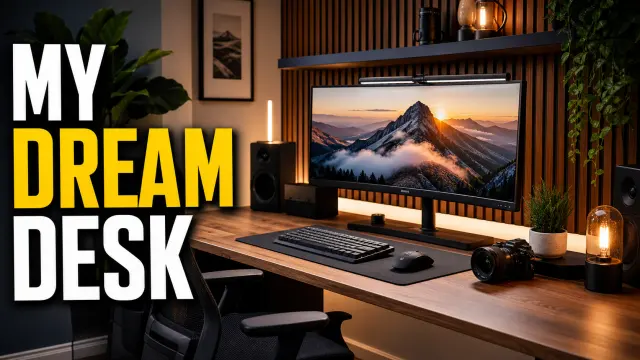 11:42
11:42
My Dream Desk Setup for 2026
Studio Method
486K views · 6 days ago
 8:16
8:16
10-Minute Dinner I Make Every Week
Everyday Table
823K views · 1 month ago
Your video title appears here
Your Channel · 24K views · 2 days ago
14:0848 Hours in Iceland: What No One Tells You
Wander Notes
11:42My Dream Desk Setup for 2026
Studio Method
Size check
Waiting for imageYouTube currently documents a 3840×2160 recommendation, minimum width of 640 pixels, and 16:9 ratio. Upload limits differ between mobile and desktop.
How to preview a YouTube thumbnail before publishing
A YouTube thumbnail preview shows the image at the smaller sizes viewers actually encounter. Instead of judging a design only on a large editing canvas, you can check the relationship between the thumbnail, video title, channel name, and surrounding interface. This is especially useful when a design uses small text, several faces, fine details, or important elements close to an edge.
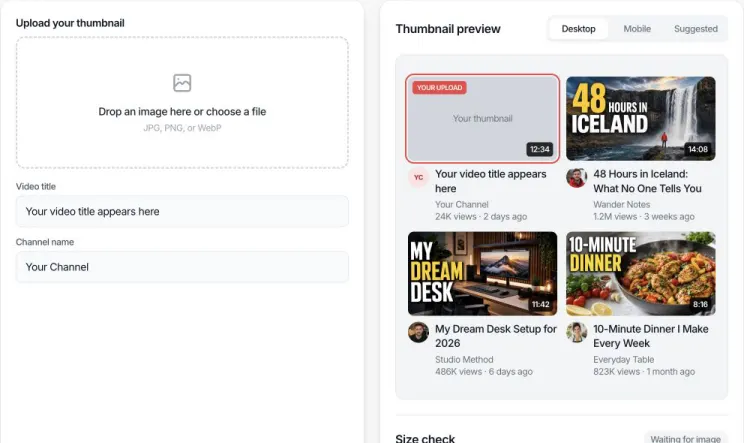
STEP 1 Upload your thumbnail
Drop a JPG, PNG, or WebP image into the upload area or choose a file. The image stays in your browser.
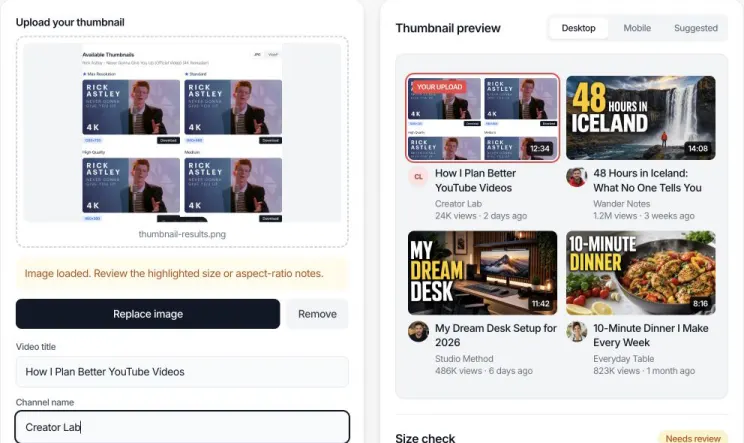
STEP 2 Add title and channel
Enter the planned video title and channel name so the preview matches the card viewers will see.
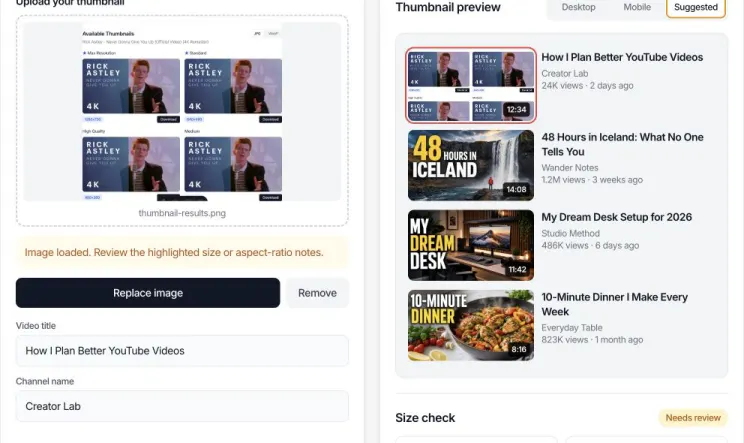
STEP 3 Compare layouts and size
Switch between Desktop, Mobile, and Suggested, then review dimensions, aspect ratio, file size, and format. If the image needs work, open it directly in the Resizer.
How the YouTube thumbnail preview and size checker works
The checker reads four properties from the local image: pixel dimensions, width-to-height ratio, file size, and file format. For aspect ratio, it compares width divided by height with 16 divided by 9. A 1920×1080 image and a 1280×720 image are both 16:9, even though their resolutions are different.
A green result means the property meets the displayed technical check. A warning is not a prediction that YouTube will reject the thumbnail. For example, a 1280×720 image has a correct 16:9 ratio and exceeds the minimum width, but it is below YouTube's current recommended 3840×2160 resolution. The result is designed to identify what you may want to review, not assign an invented quality or CTR score.
What to inspect in each YouTube thumbnail preview
- Desktop feed: Check whether the thumbnail and title communicate one consistent idea when the card has more room.
- Mobile feed: Check small text, facial expressions, and background detail on a narrow screen.
- Suggested videos: Check the tightest layout. Remove details that become visual noise and keep the focal point obvious.
- Technical results: Confirm ratio, resolution, format, and size separately. Passing one check does not automatically pass the others.
Example YouTube thumbnail preview checks
| Image | Ratio | Checker interpretation |
|---|---|---|
| 3840×2160 | 16:9 | Matches YouTube's current recommended resolution and aspect ratio. |
| 1280×720 | 16:9 | Correct ratio and above minimum width, but below the current recommended resolution. |
| 1080×1080 | 1:1 | Square rather than the recommended 16:9 ratio for a standard video thumbnail. |
| 640×360 | 16:9 | Correct ratio and exactly the documented minimum width, but may have limited detail. |
Important limitation
This YouTube thumbnail preview is a visual simulation, not YouTube Studio. YouTube can change layouts, crop images differently in experiments, or show different surfaces by device and content type. The tool does not upload a thumbnail, test it against a live audience, guarantee acceptance, or predict views and CTR.
Fix an image from the YouTube thumbnail preview
When the YouTube thumbnail preview marks an image as needing review, check the dimension, aspect-ratio, and file-size notes first. If the problem can be corrected here, select Resize or crop this image. The same image opens automatically in the YouTube thumbnail resizer in a new tab, so there is no download and re-upload step.
After creating the corrected file, choose Preview this thumbnail to open a fresh YouTube thumbnail preview with the finished image already loaded. The original YouTube thumbnail preview and resizer tabs remain open, making it easier to compare the source, crop, and final result.
- 1. Review the warning Check width, 16:9 ratio, and the 2 MB mobile threshold.
- 2. Open the Resizer The local image transfers into a new editing tab.
- 3. Preview the result Send the finished file back without uploading it twice.
YouTube thumbnail preview FAQ
Answers about thumbnail size, privacy, mobile previews, and technical limits.
What is a YouTube thumbnail preview tool?
A YouTube thumbnail preview tool places your image inside simulated YouTube layouts. It helps you judge whether the subject, text, and video title remain clear in a desktop feed, a mobile feed, and the smaller suggested-video position before publishing.
What size should a YouTube thumbnail be?
YouTube currently recommends 3840 by 2160 pixels with a minimum width of 640 pixels. A 16:9 aspect ratio is recommended because it is widely used across YouTube players and previews.
Is 1280x720 still a valid YouTube thumbnail size?
A 1280x720 image has the correct 16:9 ratio and remains widely used, but YouTube now recommends a higher 3840x2160 resolution. This checker reports the actual dimensions so you can decide whether to export a larger version.
Does this YouTube thumbnail tester upload my image?
No. The selected image is read locally by your browser to create the previews and technical checks. It is not sent to our server, saved to an account, or published to YouTube.
Can I preview a YouTube thumbnail on mobile?
Yes. Choose Mobile feed in the preview controls to see a compact phone-style card with your thumbnail, title, channel name, and metadata. The simulation is useful for checking small text and focal-point visibility.
Which thumbnail file types can I test?
This tool accepts JPG, PNG, and WebP image files. YouTube Help specifically lists JPG, GIF, and PNG among its recommended upload formats, so verify final upload compatibility in YouTube Studio if you use another format.
How large can a YouTube thumbnail file be?
YouTube documents different limits by upload device: 2 MB for video thumbnails uploaded on mobile and 50 MB on desktop. This checker shows your file size and warns when it is over the stricter 2 MB mobile threshold.
Can this tool predict my YouTube click-through rate?
No. A preview can reveal readability, cropping, and technical problems, but it cannot truthfully predict CTR. Click-through rate also depends on topic, audience, impressions, title, competing videos, and where YouTube shows the video.
Can I upload a custom thumbnail for YouTube Shorts?
YouTube says Shorts do not support custom thumbnail uploads in the same way as long-form videos. You can select a frame for certain Shorts surfaces, so this tool should not be treated as a guarantee of how a Shorts thumbnail will appear.
Why does my thumbnail look good full size but weak in suggested videos?
Suggested-video thumbnails are displayed much smaller. Fine details, thin type, low contrast, and multiple focal points can become difficult to understand. Use the Suggested videos view and simplify anything that disappears at that size.
Can I resize or crop an image from the YouTube thumbnail preview?
Yes. When the size checker finds a fixable width, aspect-ratio, or file-size problem, choose Resize or crop this image. The source opens automatically in a new Resizer tab, and the original preview remains open. After editing, you can send the finished thumbnail back to a new Preview tab without downloading and uploading it again.
Related YouTube tools
After using the YouTube thumbnail preview, resize the current image, download an existing thumbnail, check the size guide, or open the full tool collection.
Thumbnail Resizer
Crop or fit an image to 16:9 and control its output size and format.
Thumbnail Downloader
Download the available thumbnail images from a public YouTube video.
Thumbnail Size Guide
Understand dimensions, ratios, resolution, and common thumbnail problems.
All YouTube Tools
Find playlist, channel, video duration, thumbnail, and timestamp tools.